Showing posts with label Cricut. Show all posts

Wednesday, May 17, 2023

Hands On - Identity Project at Hyde Park Elementary School


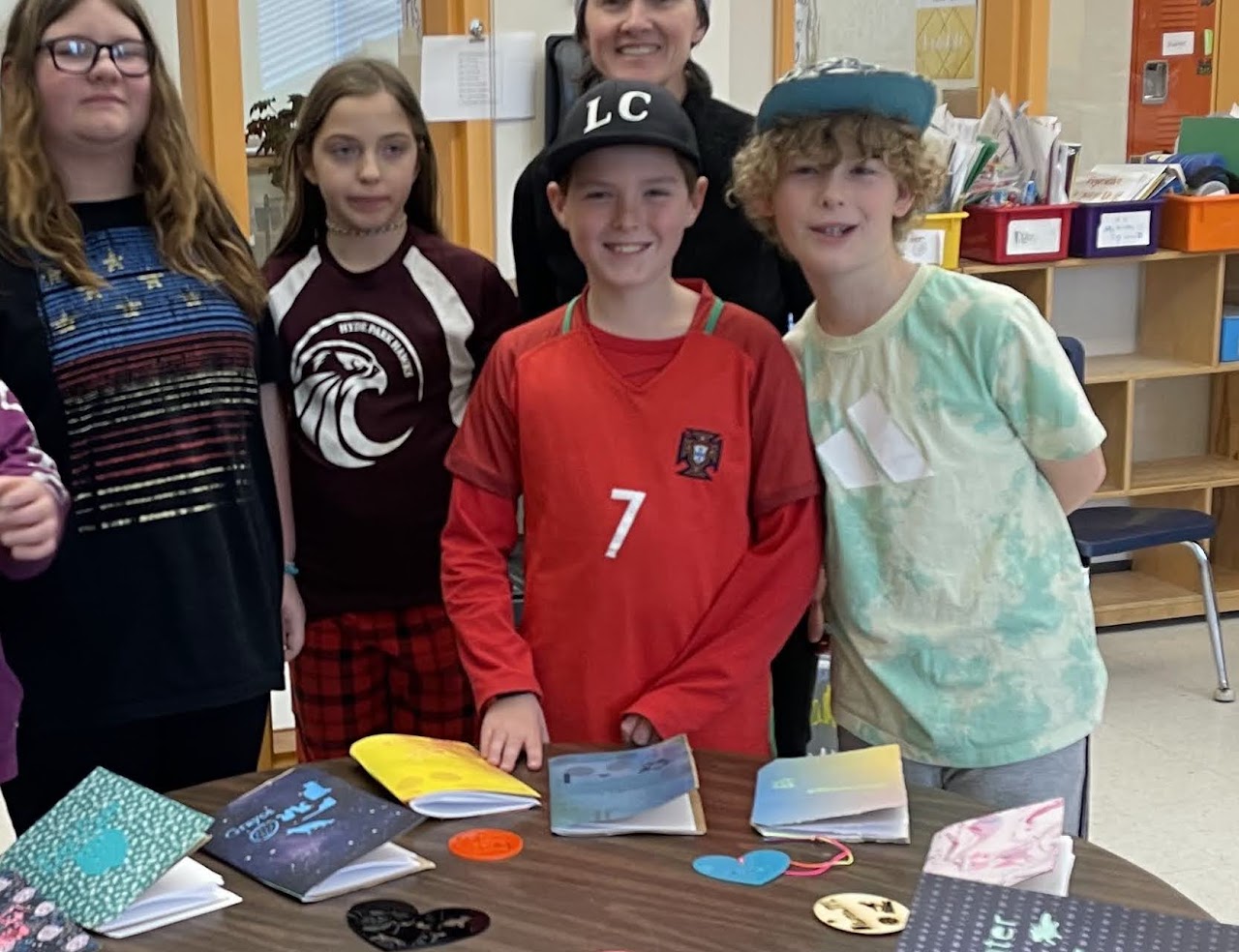
This year I had the honor of collaborating with Hyde Park Middle School Students and Staff  and the Vermont Arts Council for a week long Maker Residency focused on IDENTITY.  This experience helped me reflect on how a residency model can provide value for both teachers and students.   

 Join us at Dynamic Landscapes 2023  Google Slides  where we'll share what we learned. 


Be Inspired:

 Hyde Park School Maker Residency 

Create Confidence:

 SkillBuilder- Create Identity Artifact

  SVG file

Make Something Meaningful:

  Brainstorm Challenge PromptReflection: 


Session Description


Come Create, Make, and Learn with Lucie and leave empowered with your own fun IDENTITY artifact and a project based learning example of how to integrate making with language arts and social studies. This session is based on a recent fun maker residency with middle school students at Hyde Park School.


We will kick off the session with some highlights from the recent maker residency with students and teachers from Hyde Park School sponsored by the Vermont Arts Council.


We will then move into a hands-on Skill building Sprints designed to Create Confidence with new maker tools and processes used to create a personalized Identity Artifact.


The following slide deck includes the Skill building Sprint designed to create confidence with new maker tools and processes.  Through these skill building activities students and teaachers gained the basic skills  for using Google Slides, The Noun Project, and PicSVG.com to design an SVG file that can be used with laser cutters, digital cutters (i.e. Cricut), or even 3D printers to fabricate a personalized Identity Artifact.


Equipped with confidence using new tools and processes students and teachers were ready MAKE SOMETHING MEANINGFUL.    Students voice and choice were expanded with the confidence to use new tools and processes. Teachers  felt confident to  design instruction that include meaningful making. 


During our maker residency each student created a personal journal to  reflect on identity artifacts  they would create and collect throughout the year. 


If you would like to bring a Maker Residency to your school, 

contact Lucie at ldelabruere@gmail.com

Students are engaged in new learning experiences.  The experience inspires them to learn new skills. As they create confidence with new tools and processes, students are ready to take on meaningful making challenge.  

Teachers receive embedded professional development as they co-teach an experience that they helped to design.  The experience is a low risk way to create confidence with new tools and processes that model Project Based Learning pedagogy.   Teachers become inspired watching the engagement of their students during the residency. With newfound confidence in using new tools and processed, teachers are ready to design instruction that includes meaningful making projects. 


Sunday, October 31, 2021

Halloween Inspired Making Part 1


As we near the end of October, the world around us is filled with Halloween related themes in school, in stores, in communities and even the home.   So why not leverage this time of year for building some creative confidence and foundational skills in creating and making.  

I didn't realize where this project would lead -  but I'm pretty happy with where it landed.  By the end of the project I got  to to shake the rust off so many foundational maker skills, I feel a renewed sense of confidence in taking on something new.   

Let's start with where we ended up and then take a look on the process and skills learned along the way. 

Our Halloween Greeter sat next to the candy dish all night welcoming our our trick or treaters.  The biggest challenge was preventing it from blowing off the picnic table next to BELLA (our bus)  on this windy night. 

During the pandemic pause, we dismantled the makerspace in the bus while it was parked for over a year.   When I moved back in on October 15, the only maker supplies left were a drawer full of basic desk supplies (scissors, tape, pens, markers, etc).  This was a good opportunity for a new beginning informed by several years of creating and making in a variety of environments.   

So the week before Halloween launched a new inquiry  -- "Where do we begin" in setting up a new mobile maker space.

We began with a trip to Joann's Craft and Fabric to pick up a Cricut Maker 3 and some related supplies.  T

So I spent a little bit of change at Joann's but 
it made it feel like the beginning of a maker space again


The place known as the dog house on the bus 
became our "digital fabrication" space. 

Although th Cricut Maker  does have an option to to purchase a subscription to design images and fonts,  this does not meet my "WHY" for having a  Vinyl/Craft cutter  in my MakerSpace.  My goal is for learners (myself included) to become comfortable with using design tools to create using a variety of fabrication tools. 

That requires developing fluency with designing your own vector graphics.  For this I use   Gravit Design. It's powerful and freely accessible to learners - even those on a chromebook.  

I also don't believe you have to start from a blank page -  starting with 'clip art' or 'pre designed elements" is a often a launching point to a great design.  For inspiration I use The Noun Project.  I love it so much, I've chosen to purchase a subscription - but it can be used without a subscription as long as you provide attribution. 

After selecting and downloading some graphics in SVG format from the The Noun Project, I imported them into Gravit  to manipulate them into a design that might work for my Halloween Project.  I found myself having to use several features of Gravit to create the design I had in mind including "split path", "simplify path", create compound shapes, and manipulating anchor points along a path. 

I'm not that well versed with designing with vector software, so this was a welcomed challenge. 

After exporting my newly created design from Gravit, I was able to import it into Cricut Design and cut out the parts out of some orange vinyl and green cardstock that I had also picked up from Joann's Craft and Fabric. 


I was feeling pretty pleased with Part 1 of my project.  I had something I was proud of and was motivated to level it up.    Check out Part 2 of our project - which involved a little toy hacking, some circuits, some microbits with code and even a bit of soldering. 


Sunday, March 18, 2018

March 18 - Designing with Younger Learners using the Cricut Maker


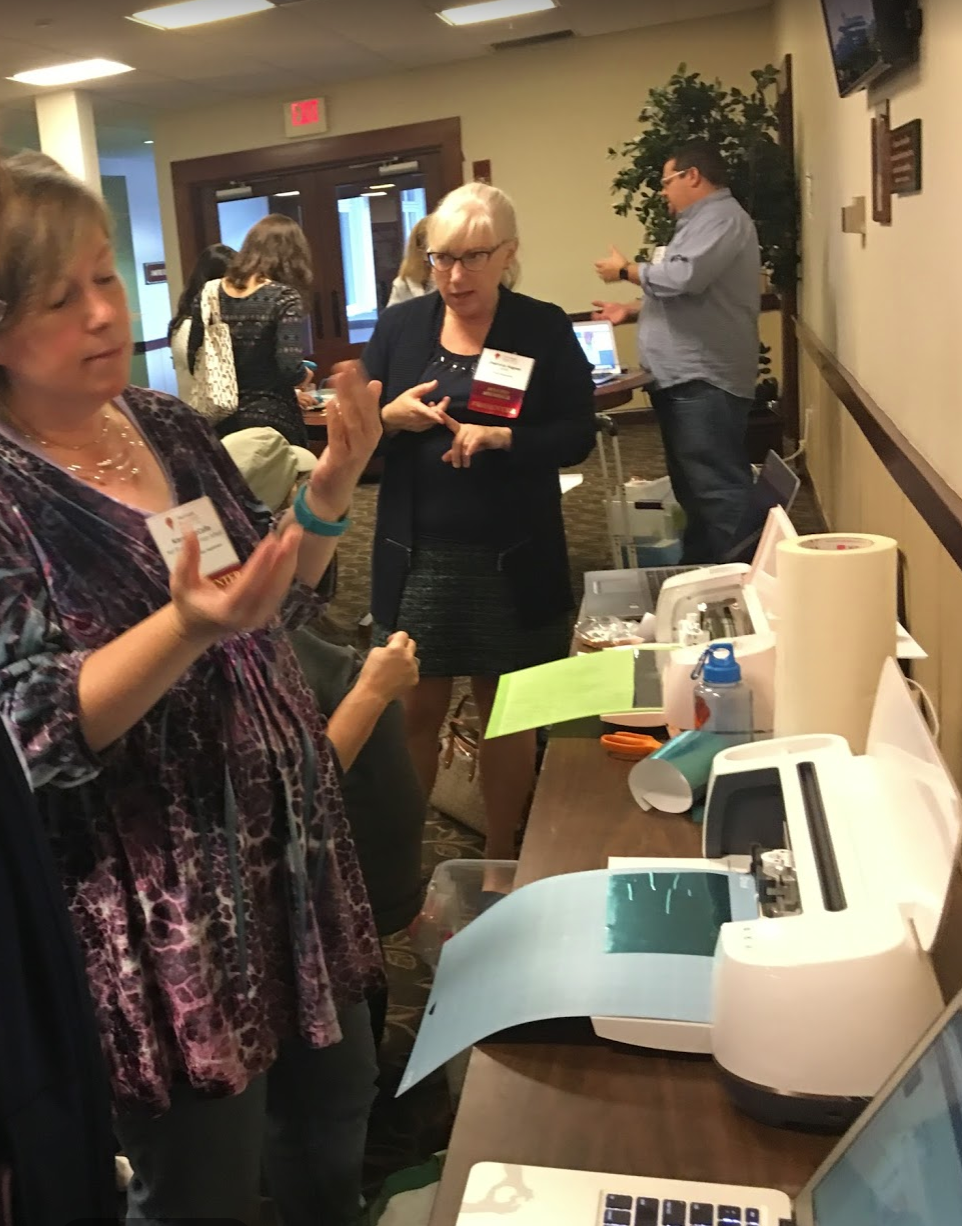
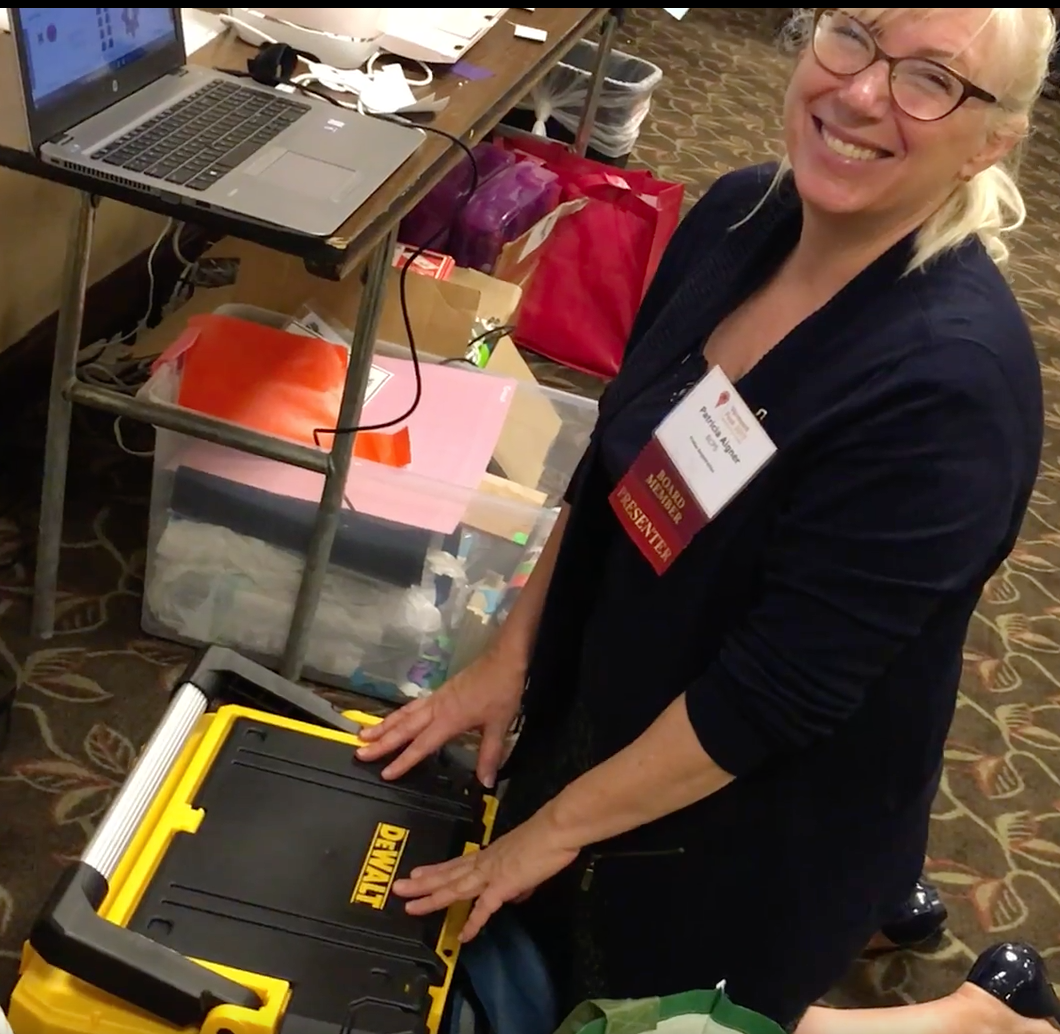
Who travels with maker tools in their luggage!  Patricia Aigner, that’s who!  And that’s how the two of us ended up with dual Cricuts during an unplanned popup maker space at our VermontFest 2017 - Vermont’s Fall educational technology conference.  

When I saw Patricia unpack her Cricut maker,  I knew I had a maker ed sister. If you don’t know Patricia, she serves as Director of Technology for Rutland City Public Schools and President of Vita-Learn. She teachs a course for the Castleton Center for Schools, The Cricut in Education.   


Patricia has a big WHY for the Maker Movement.  She shared, “Making, creating, designing, inventing and tinkering are quintessential American activities.  Consider that the American patent system is the backbone of our innovation economy and Americans patent more new ideas than any other country except China. Alexander Graham Bell,  the Wright Brothers, Henry Ford and many other Americans tinkered and invented. Without opportunities to Create, Make and Learn our students may not ever have the chance to use tools, develop design thinking or engineering skills. That would be a huge loss to our economy and limit our students’ opportunities. "


Recently we received an email from an educator who had been inspired by the dueling Cricuts at our pop-up space, but wanted more ideas about how she might use it with younger learners.   Kudos to her for asking WHY before purchasing a new maker tool!    I asked Patricia if she would help us out with a blog post that could inspire teachers of younger learners with ideas of how they might use such an accessible tool like the Cricut Maker or Explorer in their classroom.
Thank you Patricia for being our Guest Blogger in today’s March is for Making Series.