Subscribe to this blog to get new learnings ideas, discoveries, and inspiration from the CREATE MAKE LEARN community, along with updates about our upcoming Summer Institute and Workshops.
This week I was scheduled to present a session on creating virtual choir type projects at VermontFest 2020. Although my slides were ready, and I had practiced the project several times, I still didn't feel confident in the final step - aligning all the clips so that the finished project would pass muster with folks with a truly musical ear. I don't have the fine-tuned ear for music that my children have.
As luck would have it, while I was 'playing around' with WeVideo to test the real-time collaboration, the phone rang. It was my son, Adam. I quickly asked him if he would explore the real-time collaboration features of WeVideo with me and help me make the final touches to our Virtual Caroling Project.
What happened next was amazing. Not only did we test out the real-time collaboration features of WeVideo - but I got an authentic mentoring session filled with tips and tricks on how to fine-tune a virtual choir type video project from an expert! Not only is Adam a talented musician with experience at making virtual choir type videos - he's an amazing teacher. With his permission, I recorded our mentoring session - made possible due to the REAL-TIME collaboration features of WeVideo.
It's a bit long, but if you're looking for pointers on synchronizing and polishing a WeVideo virtual choir type projects with great sound, check out our authentic real-time collaboration session below.
And to see the results of our collaboration session - check out our finished video - a really fun Virtual Caroling Project Video created as part of VermontFest 2020.
To learn more about the recent release of this WeVideo feature - check out the official
Covid has introduced constraints in our lives in so many ways. But with constraints comes increased creativity. The number of ways that the CREATE, MAKE, and LEARN community has embraced constraints continues to inspire me.
Inspired by the creativity of Adam and Matt Podd to "keep on singing" in a Covid world - I've decided to put together a session at VermontFest 2020 that features collaborative workflows with Google and WeVideo that can help you and your students create and collaborate remotely as well.
Join me and some fun creative GUESTS for a hands on workshop where you will walk away with new skills and resources for remote collaboration using WeVideo and Google Drive. We'll use Virtual Caroling as a project, but these skills can be applied to all types of creative collaboration.
Want a sneak preview - check out this 30 second video of some #vted colleagues preparing for this session. Which #vted colleague can you spy?
A Caroling We Will Go With WeVideo & Collaborative Workflows
Workshop Description:
Singing together is one way classrooms, choirs, communities meet their social emotional needs. And even Covid-19 can’t stop us from singing together. In this workshop, Lucie will provide a demo showing tricks and tips of how to pull off a virtual caroling session featuring WeVideo. She’ll show you the most efficient workflows to bring your community together to create a virtual caroling event. This workflow will save you so many pre-and post-production hours, that you’ll be ‘laughing all the way’ and so will your students and colleagues.
Lucie brings her passion for learning through creating and making, members of the Create Make Learn Community, and special musical guests to the scene in what promises to be a fun-filled hands on workshop. All you need to bring is two devices (a smart phone or tablet for recording) and a laptop or chromebook — and a willingness to have a little fun.
You’ll leave with an efficient collaborative workflow to share with others in your school, some tips about WeVideo features you didn’t even know existed, and a new way to tend to the social emotional needs of your learning community.
This workflow was developed by two alumns from our Vermont schools – whose virtual choir video went viral this spring – and they are willing to share their secret sauce with YOU! For a sneak preview check out poddbrothers.com.
Registration fees for this pre-conference workshop includes a Virtual Caroling Kit from poddbrothers.com
The other day I was having a play date with my grand-daughter. We frequently do STEM related activities. She has such an engineering mind.
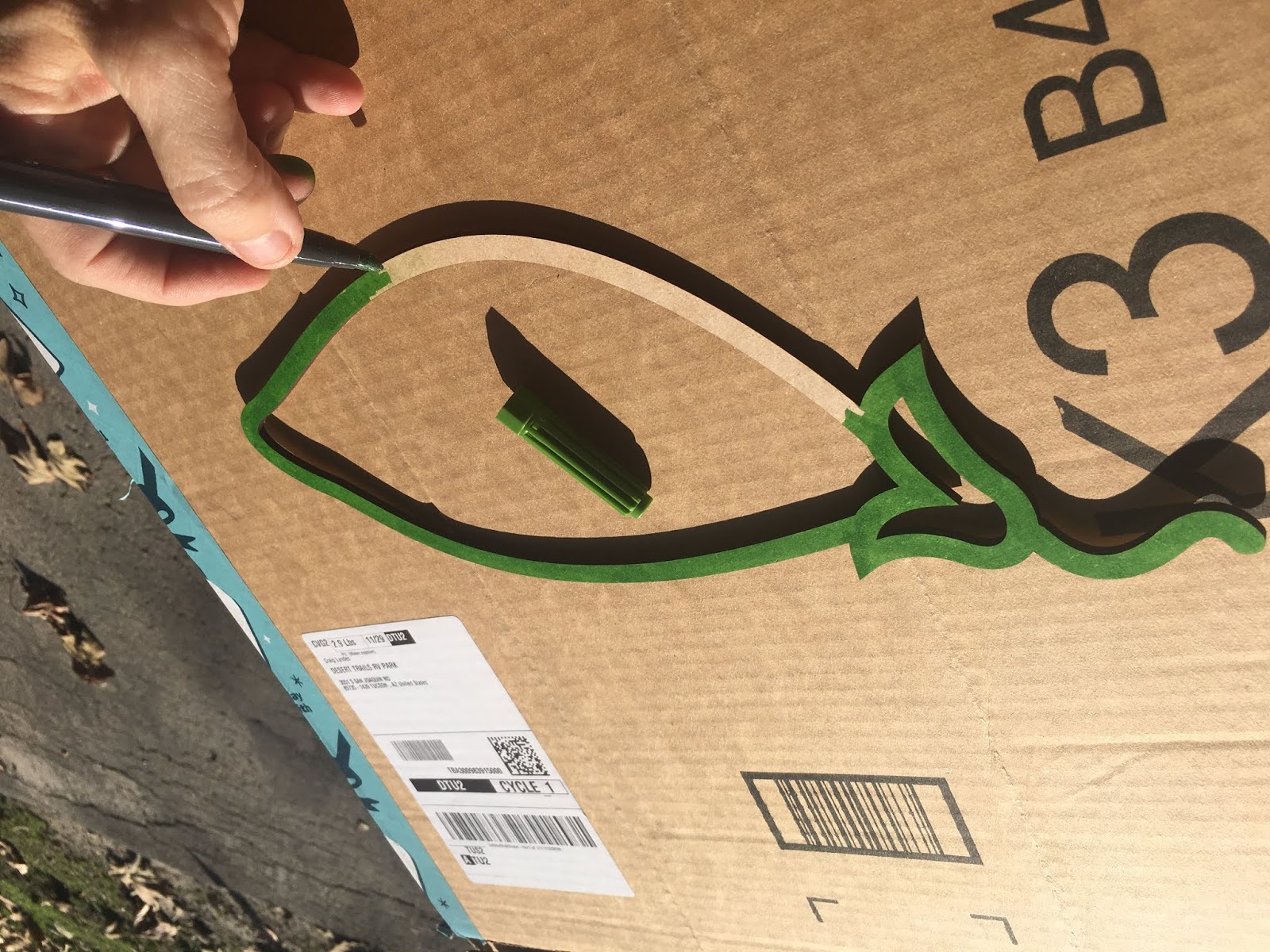
I grabbed some masking tape and sidewalk chalk and had an activity in mind - stained glass drawings on the road outside our camper.
Within minutes, she had her own ideas of what we could do and she ended up creating a hopscotch game using some of the ideas from our stained glass picture.
This activity came to mind, when I was working on my assignment for my most recent ACRES class on facilitating STEM using voice and choice.
I showed up with my tape and sidewalk chalk expecting ready to try new strategies I had just learned.
By being even more tuned into the concept of voice and choice, we ended up up exploring even more STEM concept -- the ones she was interested in and ready for. The activity helped us explore shapes, numbers, and measuring. This has me really thinking about how we limit our children's learning without even realizing it and how Voice and Choice can lead to greater exploration and deeper learning.
Strategies that can offer more voice and choice when:
Working with material
I showed up with sidewalk chalk and tape, but when I arrived I noticed the driveway was not paved and Rosie quickly let me know that "we don't really have a good place to use chalk here". But after quickly looking around for other possibilities, I spotted some window markers. Rosie showed an "immediate" desire to use those, since they had stored out of reach. The constraints of the environment naturally lead to choice in materials. I talked about using new materials and I asked her to find a new location. She picked a large window on her porch.
Asking youth a specific question
I started to steer the activity back to what I had planned with my 'specific questions'. However, by being more open to the directions she wanted to move towards, I was able to to use her interest and readiness to ask questions that developed from her natural curiosity with my questions.
Telling youth when its time to move on
It was obvious that she had different ideas than I did about what she wanted to do next. I started to guide her towards my idea of laying down some tape to make a shape and coloring the inside. She decided that she wanted to draw her own picture and find shapes within it and outlining those shapes with tape. After the first drawing, she was ready to do another, and wanted to label the lines that made up the shape with a number as a way to count them. By letting her direct what we would do next, we actually were able to practice number skills - at one point she took off her necklace to use as a measuring tool. If I had moved on when I wanted to, she would have missed an opportunity to play with numbers and measurements.
Learning STEM content
Again, because I gave her choice, we got to count, work with numbers, and even play with measuring. We got to dig deeper into STEM content I had not intended to spend time on - as I was focused on shapes.
Answering questions
At once point Rosie asked "what shape is this" as she pointed to the swing. I really didn't know how to answer that. We called it moon shape. Later in the activity, Rosie actually referred to them as cresent shaped on her own. I loved that she was able to recall the name of a shape later in the activity on her own.
Summarizing
I could have been more explicit about asking Rosie to think about what she had learned, instead of asking a specific question that had a 'right or wrong' answer and prompting her to 'fill in the blanks" as a way to wrap things up.
Asking presenting group to say more...
Since there was nobody else in the room besides the two of us, it was not an option to ask others if they have questions as a way to engage them, so this strategy was not applicable to this activity.
A fixed ending
I love the idea of 'what would we do if we had more time" or "next time". In some ways this activity was a follow up of a previous activity - but it was definitely determined by what I wanted to do. I will definitely use this in the future.
The strategies offered to give prepare students for leadership made me smile -- as Rosie is definitely a leader. The fact that she has an autistic brother who is a few years older than her has helped her develop her leadership traits.
I would love to see her "lead" an activity of her own chosing in her 'home school' group or with her friends.
We frequently look through possible projects when she comes over and she frequently selects STEM related projects.
Her favorite place to explore is the clear bin that I have filled with craft or recycled materials that might be useful for projects.
I love the idea of seeking out community leaders that might engage her in community needs. I think of the many citizen scientist program (salamander crossings) that we could potentially explore.
I'm familiar with the Scratch community and definitely plan to engage her in it in the future. I had not heard of https://www.zooniverse.org/ before Acres and truly looking forward to exploring it to see if there are STEM communities that would be age appropriate.
As a believer in project based learning, I believe that culminating activities are great opportunities to push students into leadership position. Maker Faires have been some of my favorite 'authentic culminating activities"
ACRES provided some great prompts during our feedback protocol including these.
○What do you see/hear? Get direct quotes when possible.
Earlier this spring, I felt uncertain about hosting our 9th annual Create Make Learn Summer Institute. It became clear that we would not be able to create the same type of experience at the Generator Makerspace and Champlain College.
Even though the first maker class I took as a grad student through Marlboro College was completely online, and I have taught two online maker classes through Marlboro, I was not sure an online experience was going to meet the needs of our teachers this summer.
I also worried about our teachers being tired and needing a break from remote learning!
But after receiving feedback from several colleagues, I designed a prototype built on what I learned from you.
I learned that some of you were really looking forward to a hands on experience that tapped into your creativity.
I learned that some of you would prefer a shorter experience.
I learned that some of you wanted to immerse yourself in a full week of creative flow, while others preferred a slower pace spread over a month.
Based on this feedback and the constraints of the Covid-19 response, this summer's Create Make Learn Institute will offer the following virtual options.
PERSONALIZED LEARNING - FLEXIBLE PATHWAYS
Choose the amount of content that fits your need.
Choose the topics that interest you (TBA - based on registration data submitted)
Choose the pacing that works for you.
Choose between recertification or graduate credit.
LOOKING FOR A ONE CREDIT EXPERIENCE? Select 15 hours of workshop topics.
LOOKING FOR A Three CREDIT EXPERIENCE? Select 45 hours of workshop topics?
* Additional - readings and discussions required for graduate credit.
July
AM synchronous workshops/lab times 9 am - noon
PM synchronous workshop / lab times 1 pm - 4 pm
Mon
Tue
Wed
Thu
Fri
14
AM
PM
15
AM
PM
16
AM
PM
17
AM
PM
18
AM
PM
21
AM
PM
22
AM
28
AM
PM
29
AM
August
AM synchronous workshops/lab times 9 am - noon
PM synchronous workshop / lab times 1 pm - 4 pm
5
AM
PM
6
AM
12
AM
PM
13
AM
*If you prefer to complete the module asynchronously, you can choose to receive the recorded archive and slides of the session to complete at your own pace.
TAKE THE NEXT STEP
Sign up now to save your space! Limited enrollment.
Excited to announce that there's a new twist for the 9th annual Create Make Learn Summer Institute
We're traveling to Southern Vermont.
We're going Virtual!
Windham North East has asked to host the institute this year. (Open to ALL, not just their district) My commitment to more equitable opportunities for educators in rural Vermont aligned with their goals, so I said "Let's do it".
But then Covid-19 happened.
So we've moved Create Make Learn to a virtual event with even more options.
We're also going to cap enrollment to provide an intimate hands on experience perfect for beginners and those with some experience with creating and making.
You can find more info and photos, download a flyer or sign up at
Create Make Learn Summer Institute provides educators with the opportunity to create confidence using tools and practices to design hands-on minds experiences for their students.
Explore design thinking as a framework for problem solving.
Participate in a virtual- hands on sessions that create confidence with new tools and techniques for learning through creating and making.
Complete and share a Meaningful Making Project applying your learning through design, creating, and making
Complete a curricular unit or school project where creating and making are central to learning goals and provide opportunities for students to develop growth or proficiency of Vermont Transferable Skills.
This morning I found myself thinking about project based learning and the role that makerspaces can play supporting a project based learning environment where student create work that matters and where we believe that our students can achieve amazing outcomes. My reflections were sparked by two things that happened as I was enjoying my morning coffee. The first was a request I received from an alumni student who located me through Facebook. The second was reading through the 10 things Katie Martin has learned about change in education this decade as it came across my morning news feed. The student request really drove home NO. 9 and 10 on Katie's list --
9. Doing work that matters, matters 10. Our beliefs impact opportunities and access for learners.
The name on the Facebook friend request seemed familiar. I almost didn't accept. I'm glad I did. It turned out that the request was from a former student who asked if I had a copy of a project he did 20 years ago -- an interview with his Grandma. His grandma had just passed and he was hoping to find the interview he had contributed to a web project we had created about Franco American culture in our community. The website - "Life on the Border" included hundreds of interviews with first generation immigrants from Quebec into our 'border community" in northeastern Vermont.
The fact that this student went through much effort to find a way to contact me was the first sign that this project had been meaningful to him as a student. The fact that he was thinking about this project almost 20 years later and wanted to reconnect with it at this moment in his life was testimony that we were doing 'work that matters." As I read his request, I was bummed out by the fact that the server which hosted the project website was at a non profit that was no longer in existence. Touched by the request, I had an idea and started to use "The Way Back Machine" to see if there might be some remnants of the project archived on line.
Eric pushed further asking if the school might possibly have the video footage. This brought back memories of my students learning how to create a streaming server to host the media for this event. This was long before Google Sites, YouTube or Spotify! Through lots of trial and error, my students managed to get Darwin Streaming Server up and running, and FTP's our media to a server in Montpelier, Vermont.
They were not only doing work that mattered, but they were doing it because I believed that they were capable (much more capable than I) or figuring it out. I had managed to get my hands on the hard drive from that server before it was retired. Why? because it was work that mattered! It was authentic! It was important to the students and their community. It represented such amazing learning; I had aspiration to do something with it, someday. Perhaps, this request will lead to our finding someone to help us access that media on a 20 year old SCSI hard drive.
As I think about these times in my classroom (almost a decade ago) and I'm reminded of this timeless quote from almost a century ago from another Vermont educator.
AS we approach the new year, many of us think back of conversations we have been having since the turn of the century around Vision 2020! Many of our aspirations for Vision 2020 are quite similar to Dewey's aspiration for our children. Katie Martin's comment in my morning stream that "2020 is no longer the future, it’s literally next week" is spot on! Number 9 and Number 10 in Katie's list especially resonate with my beliefs about teaching and learning.
The project that Eric (our past student) was remembering as he approached his grandmother's funeral was grounded in these two tenets. My project based classroom had revolved around Cyberfair from Global School Net for quite a few years. That year - the project went Platinum.
The students worked with their community to develop a vision of the project. We had to learn new skills with new technologies in order to implement that vision. But together, we figured it out - and 20 years later, this memory still lives in them and some pieces are still alive in Internet Archives.
As Eric's request had me searching through Internet archives, I thought about Ron Berger's belief that our students are capable of and deserve the opportunity to create beautiful work. I thought about the fact that the tools in many of our school maker spaces allow us to recreate similar learning experiences for our students. They allow us to create a vision, and make it come to life by learning tools and processes that are challenging us in ways that traditional classroom assignments can not.
... Ron Berger reminds us in this article that, “when we finish school and enter the world of work, we are asked to create work of value—scientific reports, business plans, websites, books, architectural blueprints, graphic artwork, investment proposals, medical devices and software applications.
There are many opportunities for students to learn through creating and making. Teachers often assign projects that have students create something in order to make stronger connections with our content. Perhaps we should ask ourselves, "What will happen to the work that your students create?- Will it end up in the recycle bin? Or will it end up being archived - as work that matters." What needs to happen for our students to spend time on 'work that matters"? Obviously the first step is to believe that they can do work that matters. Another step is to provide them with tools by which to do work that matters. We've come a long way towards providing students with access to digital tool in the past decade. Let's continue to do this. Let's continue to look for additional tools and opportunities -- like those found in school makerspaces.
AJ Jiuliana once again challenges us to accept a 30 day blogging challenge. I've done this several times, often in March, where I have published 30 days of making. A few years back I decided to give more attention to my writing about women and girls and tech. That year I managed to write 100 posts in theTechSavvyGirls blog. Every once in a while, I find myself wanting to write something that does not fit either of those blog areas, and end up adding a posts to an older blog called "Learning With Lucie". And every once in a while, I update a blog area where we write about our mobile lifestyle out of our BlueBird bus. I appreciate AJ's challenge. One of the things I like about it is that he distinguishes between 'writing' and 'publishing'. I also like that he allows us to substitute the word "write" with the word 'create'. These two substitutions are encouraging me to take the challenge. I had already planned to 'create' more 'consistently' this year. I've taken more time to 'create' over the holiday break and found myself enjoying it so much. It brought me joy! I felt productive and happy at the same time. The things I created connected to my sense of identity as a educator, mom, grandma. Here are two things I created during the past month or so
A- Maker educator apron (e-textile project using micro:bit)
A picture-frame puzzle using laser cutter and Gravit Design
Neither are 100% done, but both are close, and both involved learning new skills or gaining confidence with old skills. The thoughts about learning through creating and making were ongoing and I can't wait to reflect on the process in a more formal way.
<
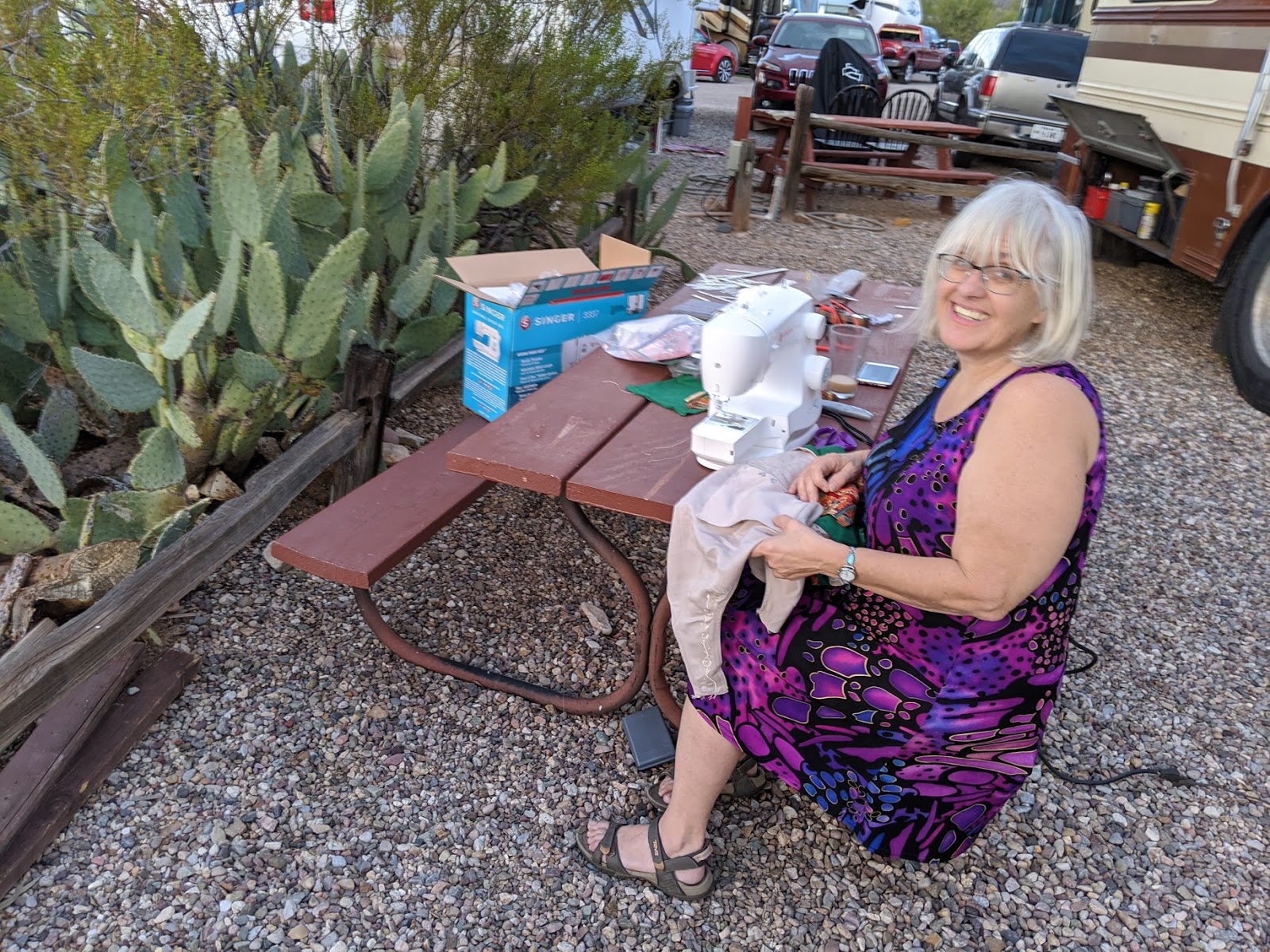
In the first project - the maker educator apron, I used design thinking, conductive thread, sewable LED's, a micro:bit and an electronic piece known as the LilyTwinkle. I even broke down and bought a sewing machine so I could learn (or relearn) how to sew. I've never liked sewing because I kind 'suck at it". It was time to let go of my 'fixed mindset' around my ability to sew. Buying an entry level sewing machine was a commitment to a growth mindset around. Now my goal is to keep on learning to use it in my creating and making.
The second project arose out of my desire to learn how to use vector software. I've been struggling with vectors ever since I started using new maker tools. Each year, I seem to have picked up a little more fluency with vector files, but wanted more confidence and understanding of how to create my own designs using vector software. On a quest to do so, I came up with a project that engaged me hook, line, and sinker. It was personally meaningful to me and I picked up so many new skills working with SVG file types. Of course, this had me reflecting on the importance of relevance and personally meaningful projects for our students. The emotions I felt during both of these learning process are exactly why I want to write more about them. I look forward to 2020 being a year of increased consistency in my creating and writing and sharing what I learn.
Jon Gordon, “Successful people do ordinary things with extraordinary consistency, commitment, and focus.”
Tony Robbins, “In essence, if we want to direct our lives, we must take control of our consistent actions. It’s not what we do once in a while that shapes our lives, but what we do consistently.”
MY 2020 BLOGGING GOAL
Write/create 20 - 30 minutes per day, every day for 30 days (you choose the amount)
Publish 2-3 posts/videos per week (again you choose the amount)
If you miss a day, pick up where you left off. Don’t make up for lost days.